It was really difficult to come up with a title to this post that wasn’t like one of those “We tried Blue Apron, here’s what happened” ads.
I had seen those ads scattered around the web, but never clicked on one. Soon after, I started to hear their ads on Star Talk Live, which at least make me curious — mostly because they explained the service better than clickbait. Finally, it was this The Verge article that made me seriously consider subscribing for the first time.
Blue Apron seems to market themselves towards inexperienced cooks, or those who are too busy to shop for groceries on a regular basis. I don’t really fall into either of those groups — while there are many times that I wish I had planned my meals in advance, I quite enjoy grocery shopping.
The wine pairings were enough of a nudge (along with the pre-planned meals) to finally give the service a go. Here are my thoughts.
The Service
For those who aren’t familiar with Blue Apron, it’s a fairly simple proposition: each week you are sent the ingredients for three recipes, with each recipe serving two people (there is also a family plan). You can customize which day of the week you want the delivery, and you can tailor the recipes based on your dietary preferences — for example, vegetarian or no seafood. If you don’t want a delivery for a particular week, you can cancel it a minimum of six days in advance. I worry that this long lead time might become an issue down the road, but so far it hasn’t been a problem.
Other than that, Blue Apron doesn’t require any additional input. You can just let it go, and each week you will get three recipes and the ingredients to make them. If you’re a control freak (like me), you can log in to the website and preview upcoming recipes and make slight tweaks to what you want to receive.
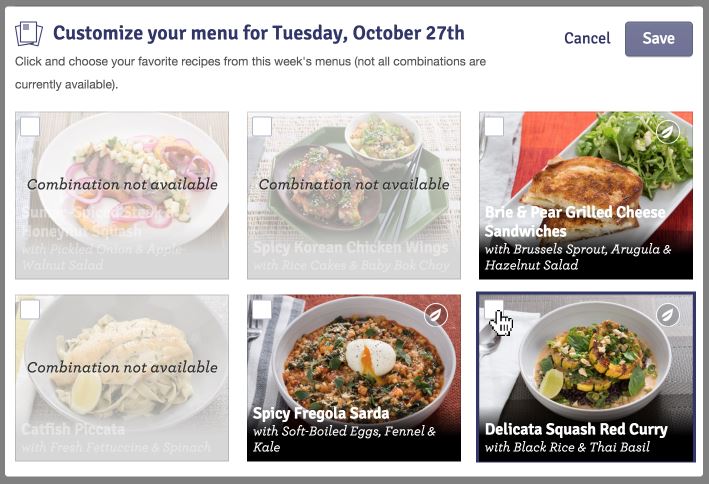
I say “slight tweaks”, because even though you are given the option of six recipes, there are only certain combinations you are allowed to do. My theory is that this is to keep things simple for those packing the weekly boxes (i.e., your selections have to fall into one of the pre-defined “dietary preference plans” they offer). There’s also the tendency for recipes to change slightly — for example, the Oktoberfest Pork Chops we got last week were originally supposed to be Schnitzel Pork Chops. Blue Apron says that this happens because they want to use the freshest ingredients possible; but, whatever the case, it can be disappointing.
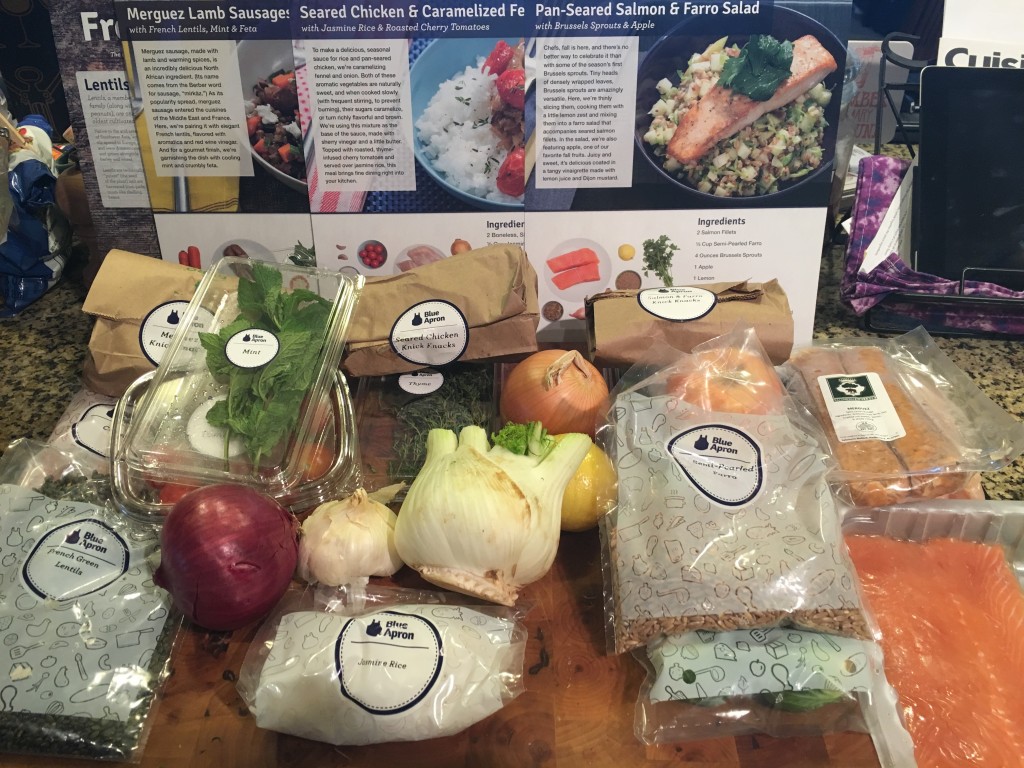
The ingredients come in a surprisingly compact box; but, it’s a rather heavy box due to two large ice packs — any meat or seafood in your shipment is sandwiched between them, with everything else piled on top. It can be a little overwhelming to unload, as nothing is sorted except for little bags of “miscellaneous” ingredients for each recipe. It’s as if you went on an exuberant trip to the grocery store and didn’t remember what you got. Luckily, everything starts to make sense once you start cooking the recipes, and realize which ingredients go with which recipes.
The wine is a separate service, and you have even less control over it. If you sign up for it, you choose whether you want to receive reds, whites or a mix, and what address you want to receive them. (Since an adult has to sign for the wine shipment, they recommend providing a separate business address for the wine deliveries.) At the start of each month, for an extra $65, you receive six 500mL bottles of wine (slightly less than a 750mL bottle you would find in the supermarket). You don’t have any control over the varieties, but you receive a detailed information card about each wine, explaining where the grapes were grown, who produced the wine, what flavors you can expect, and what recipes in upcoming Blue Apron shipments pair well with it. All in all, it’s a great way to expand your horizons if you’re overwhelmed by or new to wine.
Verdict: If your schedule is consistent enough to support a delivery once a week, Blue Apron is reliable and easy. But, skipping and customizing meals requires advanced notice.
The Recipes
 Packaged along with your shipment of raw ingredients are several large, glossy, full-page cards: one highlights some of the ingredients in that week’s box; the rest detail each recipe, how long it takes to make, and roughly how many calories it is per serving. The steps to make it have clear instructions and pictures — they even bold the ingredients used in that step, so you’re prepared.
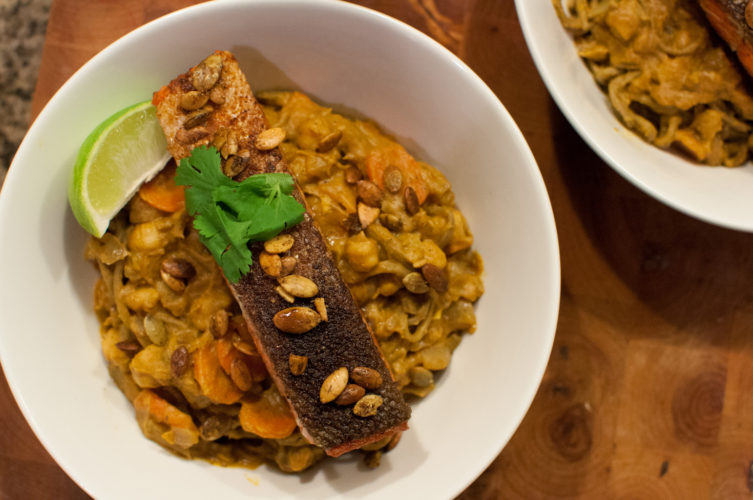
Overall, the recipes are varied enough to keep things interesting, but follow a familiar theme so it’s not too jarring to move from one recipe to another. For example, in the first week, there was a salmon with a farro salad, chicken with a jasmine rice, and lamb sausage with French lentils. Each one had a protein on a bed of some sort of starch, and vegetables mixed in. Very different flavor profiles, but similar components.
 It’s good that Blue Apron has this overlap so that new cooks can get confident with certain skills. But if their goal is to target new cooks, they need to bolster their library of tutorial videos. Instructions like “core and chop the head of cabbage” may be self-explanatory to some folks, but if you haven’t done a lot of cooking in the past, it may be rather mysterious. As of writing this, there is no video for how to core and chop a cabbage, so you’re on your own if you need an explanation. It’s also worth noting that the estimated prep and cook times are going to vary wildly if you’re not an expert in the kitchen.
That said, if you don’t mind investing some effort in learning to cook (or expanding your horizons in what you cook), then Blue Apron has a lot to offer. Each recipe highlights the elements of a successful meal — in particular, I’m impressed with how they balance sweet, salty and acidic. Most of the recipes I’ve tried so far have vinegar or lemon juice, which really help bring a recipe’s flavors to life.
While I haven’t encountered any new cooking techniques for myself, it has been nice to have (balanced, tasty) meals planned out.
Verdict: Blue Apron requires an investment in cooking; so, if you don’t already cook, or have no interest in improving your skills in the kitchen, then you should look elsewhere. But, if you’re willing to take the plunge, you will be rewarded.
The Ingredients
Blue Apron touts their ingredients as being fresher than the supermarket. So far, I’d say that’s only partially true.
On the one hand, Blue Apron works with several small farms and food producers, which allows them to get exactly the product they’re looking for.
On the other hand, Blue Apron is based in New York, which means most of the suppliers it sources from seem to be around the northeast. But I live in Texas. So how fresh are the ingredients by the time they get down to me?
Most of what arrives on my doorstep is at least similar to what I could get at the supermarket — the meats are high quality, the pantry items are fresh, and the hardy produce is in good shape. But more fragile produce — like fine herbs, or sensitive leafy vegetables — are often half-wilted or on the verge of reaching the Green Slime stage. I feel that Blue Apron could work harder at sourcing ingredients closer to their distribution centers — or, at the least, package their sensitive produce so it can better withstand the journey.
On a more positive note, I’ve enjoyed the opportunity to use ingredients that I haven’t cooked with before. Farro, dried hops and beets are just a few of the things that I either haven’t cooked with before, or haven’t cooked in a long time. This gets to the heart of why I wanted to try Blue Apron in the first place — an opportunity to get new recipe ideas, and work with ingredients I don’t normally consider.
I do wish that Blue Apron included more spices in their shipments. If a recipe’s core flavor profile comes from spices, then it’ll be included — for example, a curry is going to include the unique spices that form that dish. But if it’s just a protein seared in a pan, then the only instruction is to use salt and pepper. I’ve taken liberties with a couple recipes to season the protein with some additional spices that I have on hand, but a new cook might miss out on this important method of layering flavors.
Verdict: Ingredients are varied, unique, and usually fresh. Some produce items arrive on the brink of going bad, but so far that hasn’t prevented me from actually making the recipe. An improvement in sourcing ingredients would be a welcome change.
Overall
I’ll be sticking with Blue Apron for now, just because it makes planning meals during the week so much easier. And at $60/week for the two-person plan, it’s about what I would spend at the supermarket anyway. The only thing that might make me reconsider in future is if the long advanced notice for skipping a week or changing meal options becomes a hassle.
As for the wine, that’s even more of an unknown. It’s fairly expensive at an additional $60/month; while I do feel you get your money’s worth (six 500mL bottles), it’s a monthly expense that may not make sense if the quality doesn’t remain consistent.
I think the best endorsement I can give is that I’m genuinely looking forward to some of the upcoming meals; ultimately, that will be what keeps me hooked on Blue Apron.